Plan and order
Create the supported purchase-order record for the vendor and required products.
BillingVerse connects vendors, purchase orders, goods receipts, supplier invoice processing, purchase returns, inventory movements, accounting records and purchase reporting in one workflow, with AI-assisted PDF import for purchase invoices.
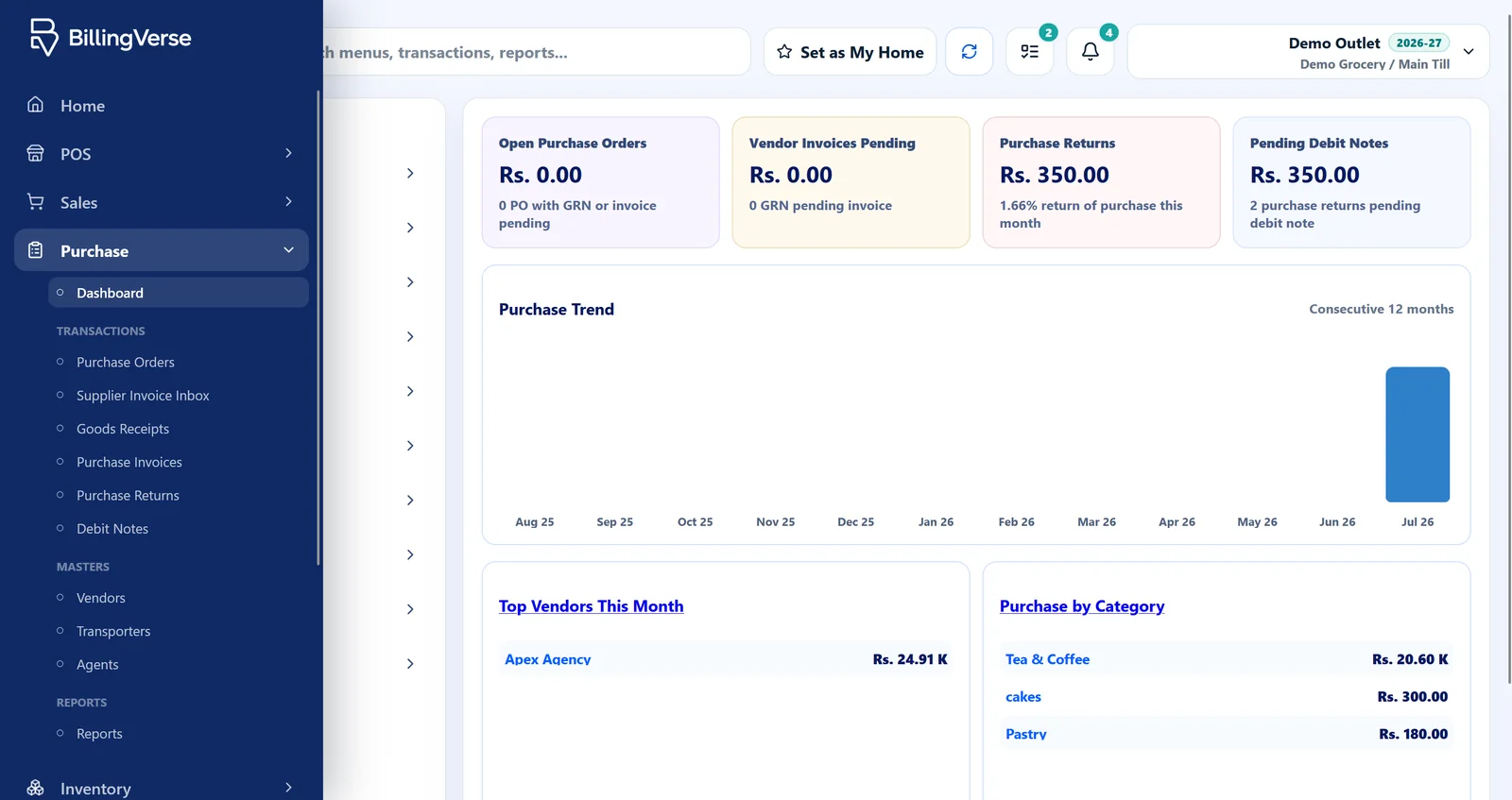
Purchase order and invoice software should help buyers follow the intent, receipt, invoice processing and adjustment without losing vendor, inventory or accounting context.
Create the supported purchase-order record for the vendor and required products.
Record receipt and inventory context against the purchase workflow.
Enter a purchase invoice directly or begin with AI-assisted extraction from a supplier PDF, then review it before posting.
Record purchase returns and inspect vendor, category, stock and account context.
Use one representative vendor order and supplier invoice to test every hand-off the buying, stock and accounts teams rely on.
Confirm the master data, units and location used by the order.
Record quantities and the supported commercial details.
Test the supported receipt, inventory and purchase-invoice path.
Review a partial receipt, pending invoice or purchase return relevant to your process.
Suppose you order 100 units, receive 80 and get a supplier invoice for 100. Your team needs to see the difference before deciding what to post. Use this example to walk through your purchasing process in a demo.
Start with the vendor, products, quantities, units and agreed commercial details. The order records the buying request; it does not by itself confirm that the goods arrived.
Check the delivered quantity and receiving location. In this example, the receiving team needs to account for 80 units and clarify the remaining 20 with purchasing.
Compare the invoice reference, quantities, rates and totals with the order and receipt. An invoice for 100 units needs review when only 80 have arrived.
Ask the supplier about the outstanding delivery or invoice correction, then review the appropriate purchase entry and stock/account records. Discuss any automatic matching or approval requirements during your demo.
Use vendor context in purchasing workflows.
Record supported product and quantity requirements.
Connect received goods to inventory movement context.
Create directly or use AI-assisted PDF extraction, review the result and post through the purchase workflow.
Record supported vendor-return adjustments.
Use vendor, category and period views demonstrated by the dashboard.
Let’s discuss automated forecasting, advanced procurement and supplier integrations for your purchasing process.
Include the documents, receipt, exception and downstream records your teams need to see.
BillingVerse supports vendor, purchase-order, receipt, purchase-invoice and purchase-return workflows with connected inventory context.
A purchase order records what the buyer requests from a supplier. A purchase invoice records what the supplier bills. Reviewing both alongside the goods receipt helps the team identify differences in quantities, rates or delivery before posting.
Yes. You can enter a purchase invoice directly. AI-assisted PDF import is another way to prepare the entry; the team reviews the details before posting in either workflow.
Enter the supplier invoice directly or upload a purchase invoice PDF for AI-assisted extraction. Review the vendor, document, tax, item and total details before posting it through the purchase workflow.
Supported receipt and return workflows can connect to inventory movement and stock-location context.
Let’s review forecasting and supplier-EDI requirements during your demo.
Bring a representative purchase workflow to a guided BillingVerse evaluation.