Counter flow
Scan products, find customers, apply offers, hold a sale, process a return and record flexible or split payments from one focused workspace.

BillingVerse gives Indian retail shops and stores a barcode-first billing workflow connected to customers, offers, flexible payments, returns, inventory, outlets and business records.
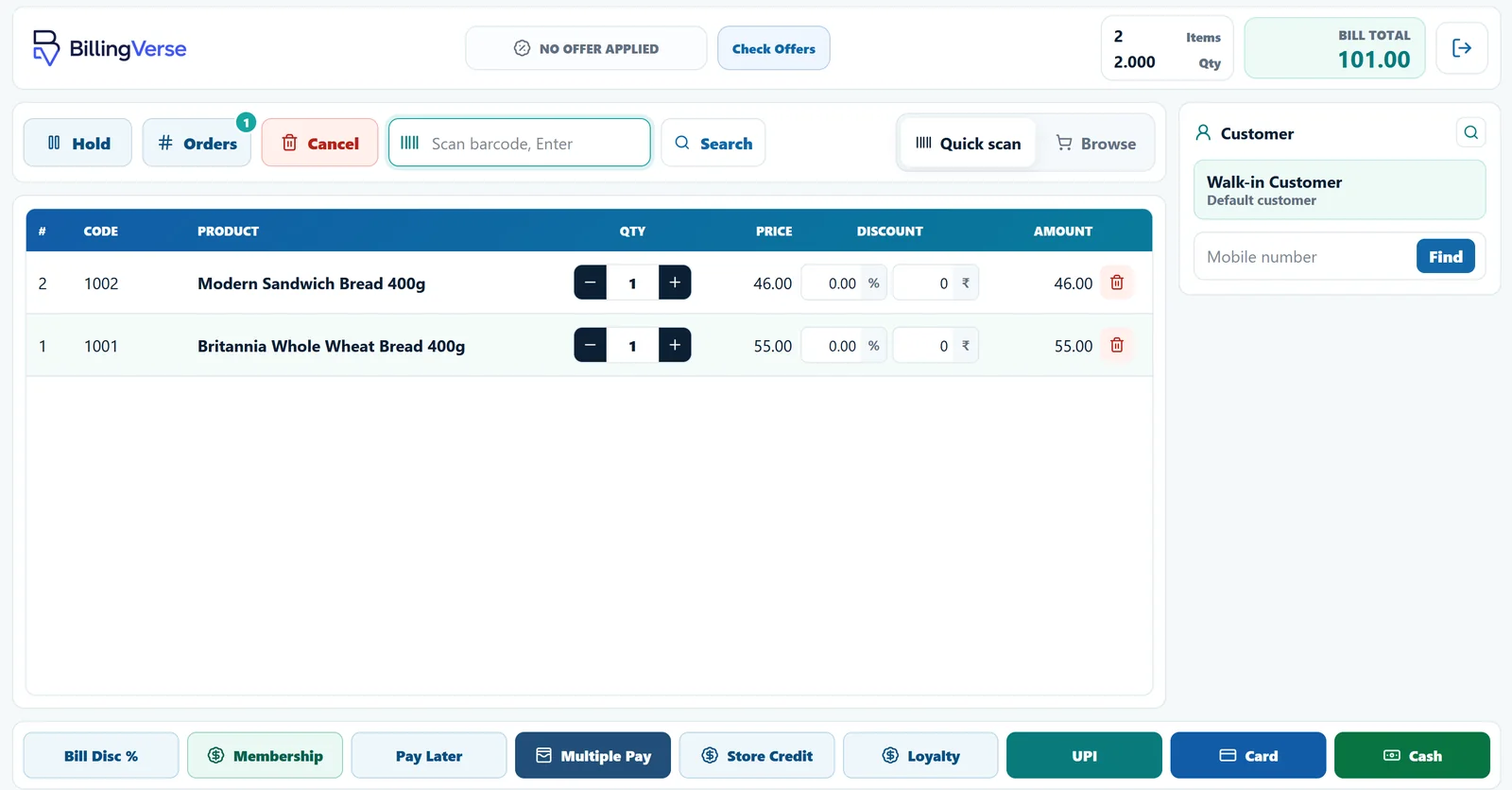
Explore the BillingVerse workflow before choosing a plan. Included features, applicable taxes and onboarding requirements depend on the selected plan and business setup.
Retail shop billing software should do more than produce a receipt. It should help the team complete the counter interaction while preserving the product, customer, payment and stock context the rest of the business needs.
Scan products, find customers, apply offers, hold a sale, process a return and record flexible or split payments from one focused workspace.
Keep POS activity connected to the product and inventory records used across receipts, issues, adjustments and transfers.
Use customer groups, loyalty points, memberships, offers and store credit as part of the retail workflow.
Configure companies, outlets, tills, users and stock locations for a clearer multi-location operating structure.
BillingVerse keeps the counter focused without treating the sale as an isolated event.
Scan or select products and attach the customer when the transaction needs customer history or rewards.
Use supported offers, loyalty, memberships or store credit and record the relevant payment workflow.
Finish the sale, hold it for later, or manage a return while retaining the operational record.
Let the transaction contribute to the inventory, outlet and accounting records used by the rest of the team.
Offers, loyalty points, memberships and store credit can be part of the customer and checkout workflow.
Record cash, card, UPI, loyalty, store credit or multiple payments. Confirm external provider integrations separately.
Pause an order when the counter needs it and manage return workflows without separating them from retail operations.
Support tax-aware sales documents, returns, credit notes, GSTIN details and printable GST invoices.
Configure outlets, tills, users and stock locations to reflect how the retail business is organised.
Bring counter activity into the same operational picture used for inventory, accounts and reports.
Companies, outlets, tills, users and stock locations can be configured for multi-location operations. Use the demo to map your actual stores, permissions and stock structure before rollout.
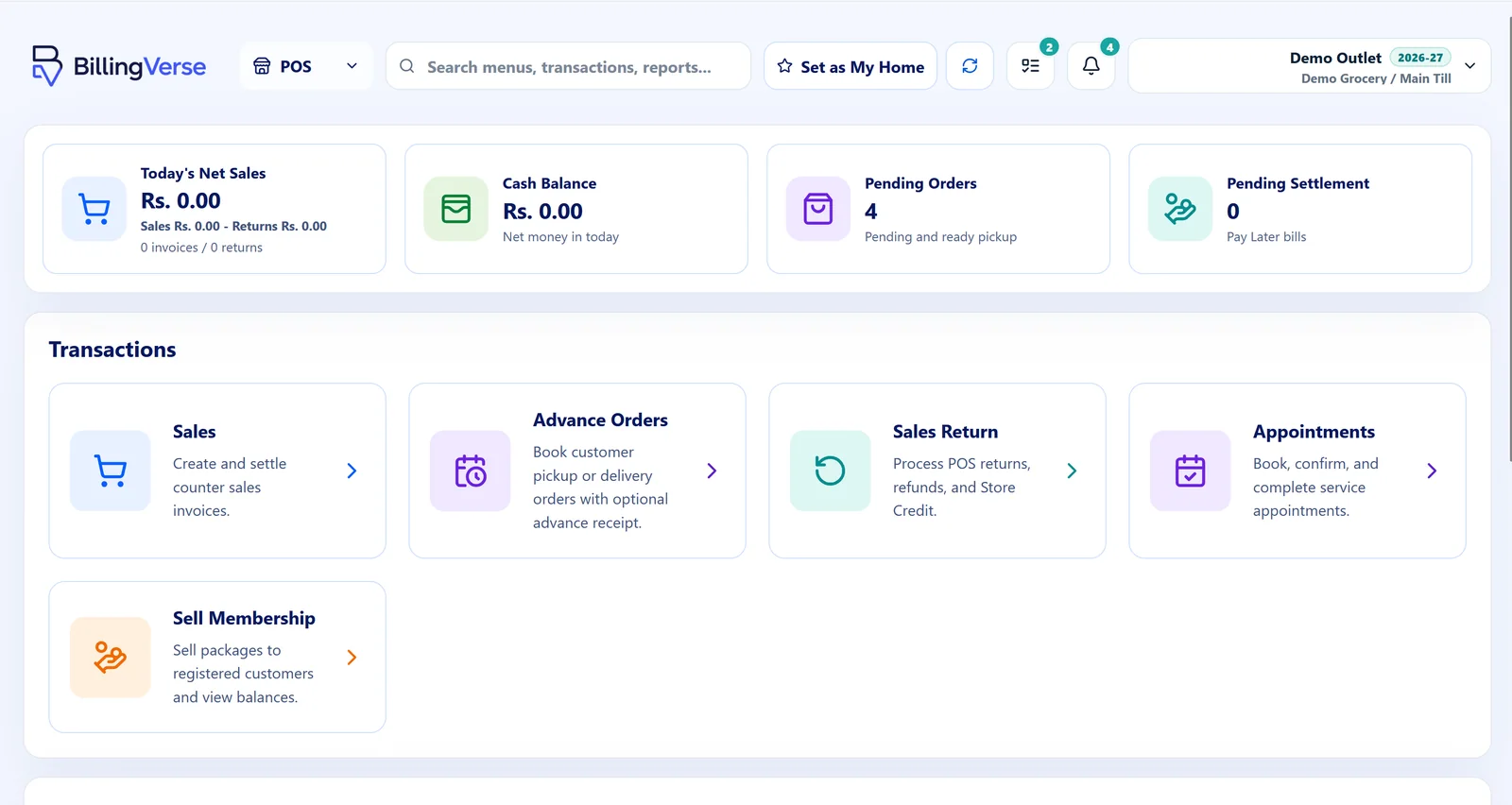
Let’s review connectivity and offline requirements during your demo before choosing the right deployment setup for your counters.
We recommend evaluating the product against an actual sale, return and outlet setup—not a generic feature list.
Retail POS software records counter sales and connects the transaction to products, customers, payments and business records. BillingVerse extends that workflow into inventory, outlets and accounts.
BillingVerse provides a barcode-first retail billing workflow with supported customer, payment, return, GST-aware document, inventory and outlet context. Use a demo to confirm the hardware, connectivity and operating details required by your store.
BillingVerse connects counter transactions with the same product and inventory records used across the business, so sales, returns and stock workflows contribute to one operating picture.
The BillingVerse POS supports flexible payment workflows including cash, card, UPI, loyalty, store credit and multiple payments. Confirm any external payment-provider or hardware integration separately during your demo.
Yes. Companies, outlets, tills, users and stock locations can be configured for multi-location operations. Discuss your outlet and permission structure during the demo.
Let’s review connectivity and offline requirements for your counters during the demo before choosing a deployment setup.
BillingVerse supports tax-aware sales and purchase documents, returns, credit notes, GSTIN details and printable GST invoices. Automated filing and statutory requirements should be discussed separately with the product team and your tax adviser.
Bring your products, payment flow and outlet structure to a guided retail POS walkthrough.