Company
Represent the business entity that contains the relevant outlets and operating setup.

BillingVerse lets retail businesses configure companies, outlets, tills, users and stock locations, then connect those structures with POS, inventory transfers and business records.
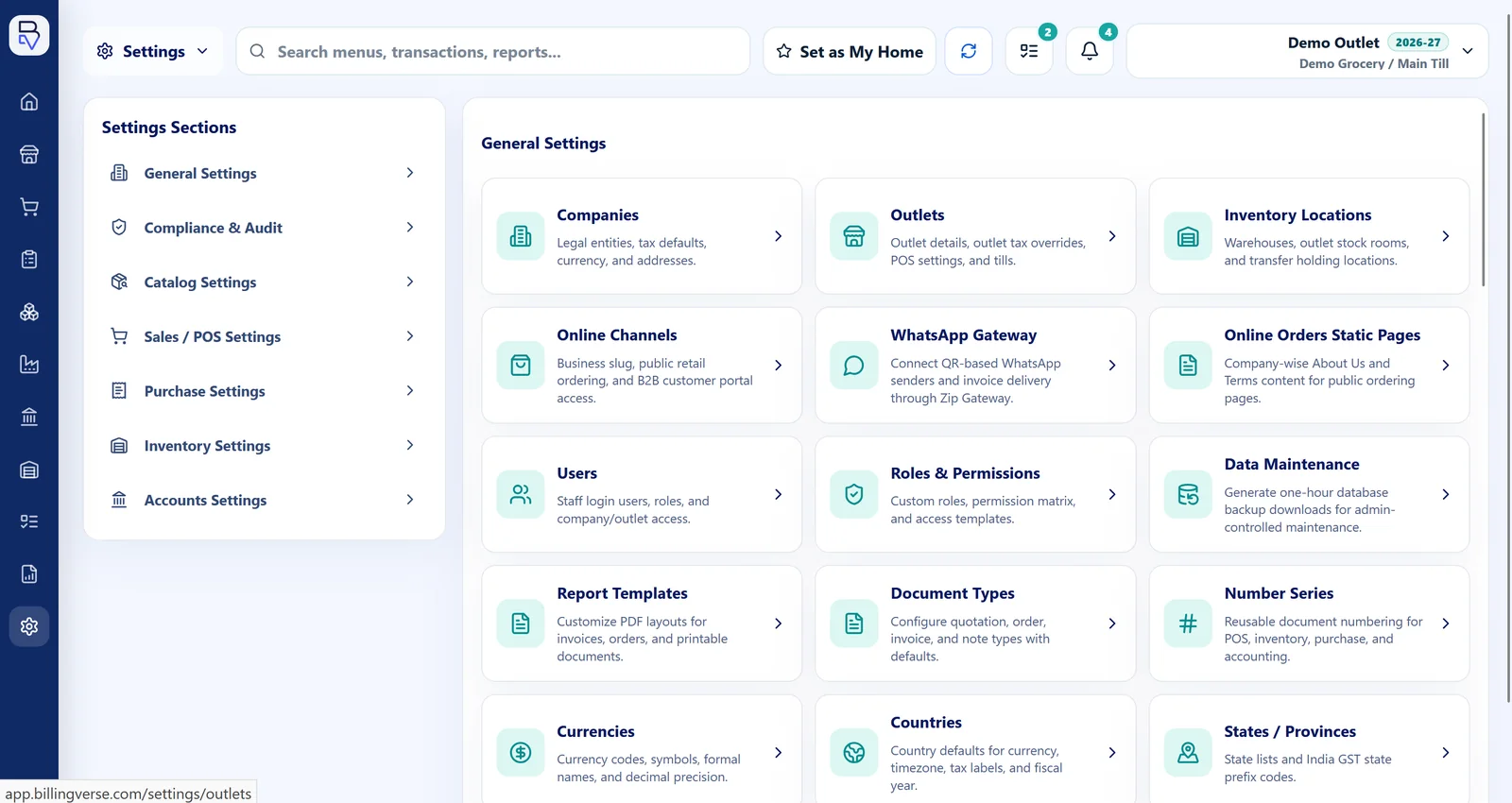
Explore the BillingVerse workflow before choosing a plan. Included features, applicable taxes and onboarding requirements depend on the selected plan and business setup.
Multi-store control starts with an agreed model of the business. BillingVerse provides the configuration building blocks; your rollout still needs clear ownership, permissions and operating rules.
Represent the business entity that contains the relevant outlets and operating setup.
Define each retail operating location within the company structure used by your team.
Configure the counter or till context required for POS work within an outlet.
Assign users and permissions according to the responsibilities they perform.
Represent the store, outlet or warehouse location used by inventory workflows.
Configure the operating context first, then validate how transactions, stock movements and reporting behave across your proposed setup.
List the companies, outlets, tills, users and stock locations that must be represented before configuration begins.
Configure users, permissions and role-aware workspaces around actual cashier, manager, buyer and stock-team responsibilities.
Use the relevant POS and inventory workflows within the configured outlet, till and stock-location context.
Record stock transfers between configured locations and confirm the reports required for outlet and whole-business review.
Configure companies and outlets to reflect the operating structure planned for the rollout.
Set up tills for the counter structure used within each relevant outlet.
Configure users, permissions and role-aware workspaces around real operational responsibilities.
Represent stores, outlets and warehouses as stock locations used by inventory workflows.
Record transfer workflows between configured source and destination locations.
Connect outlet activity to operational records and drill-down business reports while confirming the exact required views.
Evaluate counter billing and stock movement in the same proposed outlet model. The focused product pages explain each workflow and its own boundaries.
This is an evaluation example, not a customer story: one company, two outlets, a till in each outlet, central and outlet stock locations, and users with distinct responsibilities.
Let’s review entity counts, synchronization and offline requirements during your demo. We can also discuss franchise royalty controls and international consolidation for your proposed structure.
A useful demo should use your company, outlet, till, user and stock-location structure—not an abstract feature list.
Multi-store software gives a retail business a defined structure for companies, outlets, tills, users and stock locations. BillingVerse connects that structure with POS, inventory and business records.
Yes. Companies, outlets, tills, users and stock locations can be configured for multi-location operations. Confirm the required entity counts, roles and outlet setup during your demo.
BillingVerse supports inventory workflows including stock transfers between configured locations. Use the demo to validate your source, destination, approval and receiving process.
BillingVerse supports users, permissions and role-aware workspaces. Map the actual responsibilities of cashiers, managers, buyers and stock teams during evaluation.
Synchronization, offline continuity and conflict-resolution behaviour depend on the proposed setup. Let’s review these requirements before rollout.
Discuss your company, ownership, royalty and reporting structure with the product team so the required workflow can be confirmed.
Bring your proposed counters, roles, stock locations and reporting needs to a guided BillingVerse walkthrough.